1. Secure Files in Cloud Collaboration Platforms
Secure Collaboration tools can secure any type of file in cloud collaboration tools such as Box, Dropbox, and SharePoint. Integrations with these platforms allow you to seamlessly plug granular control capabilities into these applications to ensure that only authorized parties can access sensitive information. Security policies follow the file allowing IT security teams to define granular usage rights that control how files are used and distributed, even once they are stored on devices outside of your network. You can then track any file and use granular controls to prevent unauthorized access and revoke privileges at any time. If data ever leaks or is downloaded from these collaboration solutions, security sticks to the file anywhere it goes, making sure that only authorized parties are working with your company’s information.
With Secure Collaboration You Can Control:
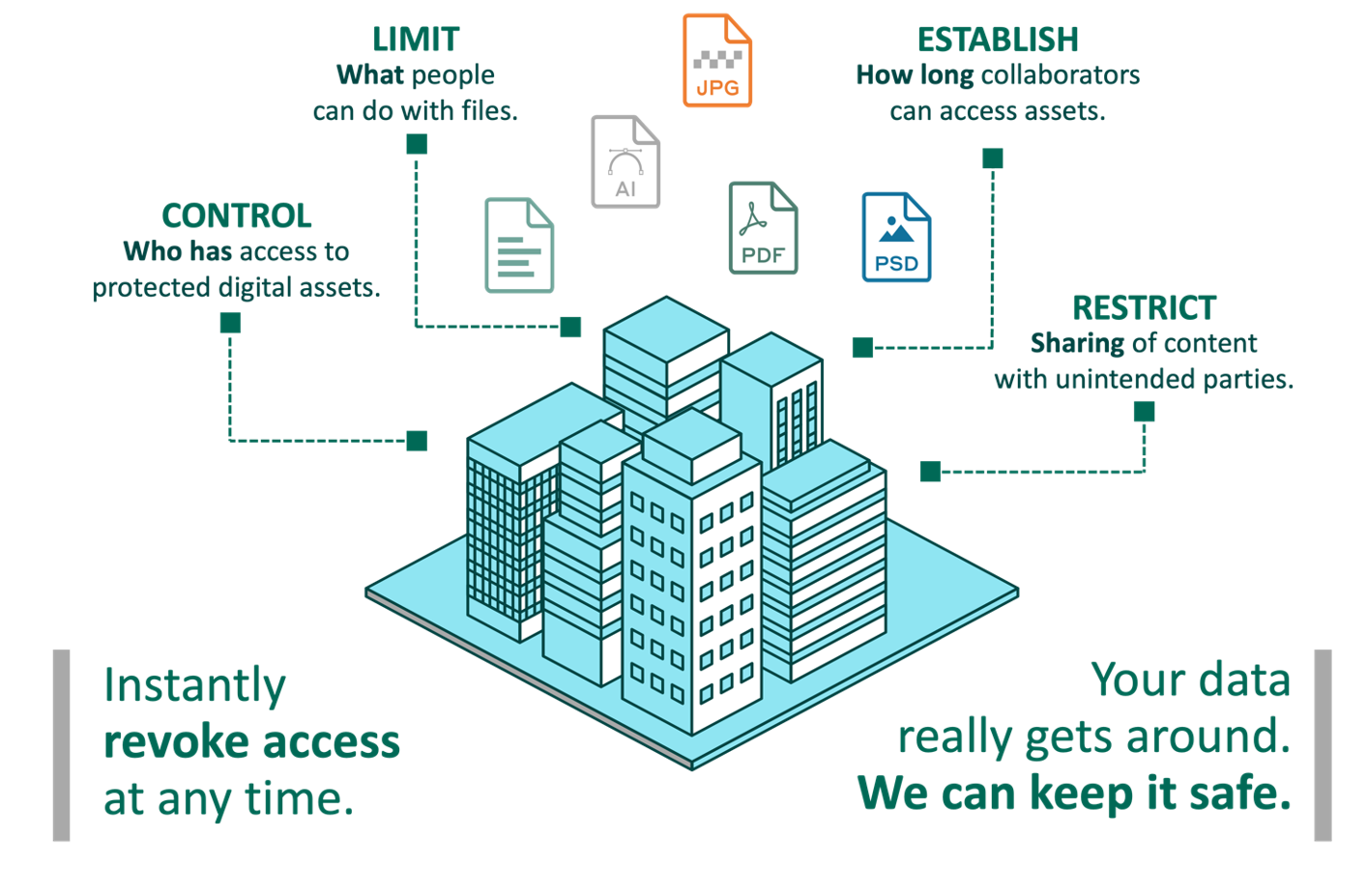
WHO...
has access to your files (unauthorized access attempts with a full audit trail).
WHAT...
those users can/cannot do with them (e.g., edit, view only, block copy/paste, add watermark).
FOR HOW LONG...
collaborators can access (e.g., automatic time expiration, retention rules, granular revoke access capabilities).
AUDITING...
authorized (and unauthorized) access attempts with a full audit trail, anywhere your files travel.
2. Protecting Intellectual Property
Organizations in industries ranging from manufacturing and technology to biotech and pharmaceuticals store intellectual property (IP) such as patents, trademarks, customer information, and processes across multiple storage platforms—both onsite as well as off-premises. Best-in-class tools offer integrations to all these storage systems to automatically secure any file uploaded or downloaded from those platforms.
Bringing new technologies to market is a long and complex process, requiring everyone from the administrative staff to Research and Development to sales and marketing to follow exact compliance guidelines.
Every day, you share privileged information, valuable IP, and regulated documents within and beyond your firm.
Secure Collaboration tools allow your organization the ability to watermark, track, and report on the secure distribution of controlled documents, even after they’ve left your network. As the pressure to innovate faster and accelerate the approval process mounts, you can:
- Protect the security of your data and the future of your business.
- Maintain total control over your sensitive data so only approved parties can access your files, no matter where they’re stored or when they’re accessed, with the confidence that you can revoke access at any time.
- Let your employees maintain their current workflows, knowing Secure Collaboration is running seamlessly behind the scenes to protect your IP—everywhere it moves.
3. Compliance and Defensible Audit
What is “Defensible Security”? The simplest explanation is a security program that can answer the question from stakeholders, "Is the organization doing enough to protect its data and information resources, and can we defend our choices in the event of an incident?" However, it’s not necessarily a problem with the chosen security stack, but the lack of defensibility of the program that was put into place.
Secure Collaboration helps compliance teams and auditors by ensuring that data is always secure, even while in use. Granular visibility and centralized control allow any organization to understand how their content is used, by whom, and can proactively investigate unauthorized access attempts. In addition, policies can be based on several pre-defined parameters, including file location, name, type, securer, sender, recipient, group, or other preexisting permission structures. This helps to provide you with detailed audit logs to provide defensible proof against data breaches.
You can leverage an internal audit to see who is accessing R&D data throughout, track all access attempts (authorized or not), and obtain granular metrics on usage and adoption.
The use of CAD/CAM files for the production of designs, manufacturing specifications, and other documents containing supplier contracts can be critical to an organization's competitive edge. And these documents might be stored in several different places and platforms. But with multiple stakeholders, shifting production schedules, and a global supply chain, how do you balance keeping up with fast-paced collaboration without losing control over how your data is used?
Control how your information is being used, even after it leaves your organization or goes offline. Whether you’re sharing manufacturing plans through cloud services like SharePoint Online, Box, Dropbox, or over local file shares, Secure Collaboration ensures only authorized partners can access it. With dynamic data protection, you have the power to revoke access to any file, anywhere it goes, should you stop working with a vendor.
4. Secure Sensitive HR Documents and Executive Communications
One of the biggest use cases for secure collaboration involves securing sensitive employee data, such as human resources (HR) documents, payroll information, and recruitment data, among many other types of data in HR departments. A real-life example is one fast-growth semiconductor manufacturer who faced the challenge of securing sensitive personnel files that were being shared across the business, to multiple locations throughout the world. The manufacturer was recruiting top talent from across the globe in order to grow the business and drive continued product innovation.
This required files on candidates and new employees to be shared freely amongst different internal teams, which included personally identifiable information (PII) such as names and social security numbers.
This organization selected a tool to secure the HR and recruitment files that contained PII. Rather than restricting the methods through which users can collaborate and view data, secure collaboration both directly encrypts and controls access to files, allowing teams to work freely across internal applications, email, and cloud sharing platforms such as Dropbox, Box, and SharePoint. Authorized users were able to view this information easily, without downloading any agents or plug-ins.
Employees and third parties may sometimes struggle to adhere to company security policies, especially when productivity requires dynamic collaboration within and beyond the organization. In an enterprise environment, users work across many applications and leverage email, file shares, and the cloud to get work done.
Secure Collaboration allows internal and external (as well as third-party) collaborators to securely share and edit board documents, presentations, and spreadsheets regardless of how that content is accessed. This way, your users can maintain operational agility without risking security. By giving organizations central control over access, sharing, and collaboration, policies follow the data and can be implemented globally and automatically across all users.
5. Protect Brand, Trademark, and Asset Data
The media and entertainment industry relies on high levels of protection for its IP, as well as secure collaboration with third parties, to bring new content to market and evolve existing products. By working behind the scenes to encrypt and track files containing sensitive IP, Secure Collaboration secures the exchange of information across supply chains without negatively impacting workflows.
To successfully launch and promote new products, media and entertainment companies often rely on sharing sensitive IP among employees and external stakeholders. They need a secure way to share rich media files, game designs, scripts, and screenplays, or new character ideas, allowing for mass collaboration and dynamic editing over the entire production process.
With Secure Collaboration tools, you can secure at the document level using encryption and granular access control permissions that follow the data outside your environment. Collaborators can send information to third parties while retaining control over user access, including which actions are permitted, such as forwarding or copying.
6. Protect Financial and Legal Documents
Financial services firms are three times more likely to be targeted in a cyberattack than any other organization. Constant influx of new technologies, shifts in business models, and market changes create new ways to lose data. It’s a universal challenge: the more collaborative your company becomes, the harder it is to control valuable information.
Secure Collaboration means you don’t have to make a choice between increased security and operational agility. Financial services firms of all sizes use data-centric security to gain complete control over their information while allowing each employee to work with customers on their terms.
7. Extend the Protection of Cloud Access Security Brokers
Cloud Access Security Brokers (CASB) have proven to be highly valuable to enterprises on a variety of fronts. At its core, a CASB can extend security policy to an enterprise’s cloud applications in much the same way a traditional firewall would protect on-premises applications.
The limitation of a CASB is that it can lose control over data after it has been accessed. Users can still copy the content, store it in insecure personal drives, share it with other parties, or have it compromised by malware or attackers. While a CASB can help illuminate an application blind spot, it does not ensure that data itself remains safe.
Using Secure Collaboration to complement your CASB gives organizations a chance to open up their ruleset so they can be more flexible and still stay secure. With any system, you can lock down information such that it becomes difficult for employees to do their jobs. A Secure Collaboration tool working with a CASB can give customers the best of both worlds. For example, with sensitive documents that exist in OneDrive or Dropbox, a CASB can take advantage of preset rules to ensure that users who have view-only rights get a policy that is different from the policy applied to users having read/write permissions.
Summary
Digital Guardian Secure Collaboration is an intelligent, seamless, and proactive solution that many firms leverage to secure corporate data throughout its lifespan. This protection cannot be stripped from the file the moment it’s downloaded or opened by a recipient. Your team is empowered to always enforce your company’s security control and usage policies on highly sensitive files, even after data is shared outside of your team, downloaded, duplicated, or moved to unmanaged domains.
In the event of a breach, whether from an outside actor, intentional misuse, negligence, or just smart people making an honest mistake, Fortra gives you the tools to update or revoke access instantly to all copies of the file or specific users or vendors.